How to Get a Library Card and Use Free US Public Library Resources
Why the Public Library Should Be One of Your First Stops
When you land in the US and start ticking through your setup checklist — bank account, phone plan, health insurance — the public library rarely makes the list. That's a mistake. A free library card can replace or supplement several paid subscriptions you might otherwise buy, and the resources available go far beyond books on shelves.
This guide walks you through exactly how to get a card, what you'll typically need as an international student, and the specific resources worth knowing about before you spend money on anything else.
What Is a Public Library Card and Why Is It Free?
Public libraries in the United States are funded by local taxes, which means residents — and in most systems, people who live, work, or study in a county or city — are entitled to use them at no charge. As an international student, you are generally considered a resident of the area where you study for the duration of your program. Most library systems extend card eligibility to you on that basis.
That said, policies vary by city and county. Some systems are generous and issue cards with just a student ID and proof of your university address. Others ask for a document that shows a local street address. Always check the specific rules for your library district before you make the trip.
What You'll Typically Need to Get a Card
Library systems are not federal agencies — they set their own rules — so requirements differ. The documents below cover what most systems accept. Bring more than one form of ID just in case.
Common documents requested
- Passport — almost universally accepted as photo ID
- I-20 or DS-2019 — confirms your student status and your university's address
- University-issued ID or enrollment letter — helps establish your local connection
- Proof of local address — a lease agreement, a recent bank statement, a utility bill, or even a university housing confirmation email
- F-1 or J-1 visa — some libraries ask to see your visa stamp along with your passport
If you're in university housing and don't yet have a bill in your name, a housing assignment letter from your school's residential life office usually works. Some library systems also allow you to apply online and pick up your physical card later, which can save time.
What if you don't have a local address yet?
If you just arrived, ask your international student office (DSO) for a letter confirming your enrollment and your campus address. Many libraries accept this. Don't assume you have to wait — go in and ask. Librarians deal with students in your exact situation regularly and often know workarounds that aren't posted on the website.
Free Resources That Are Actually Worth Using
Once you have a card, you're not just borrowing physical books. Here's what most mid-to-large public library systems offer that international students find genuinely useful.
Digital books, audiobooks, and magazines
Apps like Libby (by OverDrive) and hoopla connect directly to your library card. You can borrow e-books and audiobooks without ever visiting a branch. Libby has waitlists for popular titles; hoopla typically has no waitlist but a monthly borrowing cap. Both are free with your card.
PressReader, available through many library systems, gives you access to hundreds of international newspapers and magazines — useful if you want to keep up with news from home without paying for subscriptions.
Streaming services
Many libraries offer Kanopy, a streaming platform with thousands of films, documentaries, and classic cinema. If you're studying film, communication, or just want a movie night without a Netflix bill, Kanopy is legitimately excellent. Check whether your library system participates, as not all do.
Language learning
Mango Languages is available through a large number of public library systems and lets you study English or dozens of other languages. If you're working on your English proficiency or want to pick up a second language while in the US, this is worth logging into before you pay for a commercial app.
Test prep and academic databases
Some library systems provide access to Learning Express Library, which includes practice tests for the GRE, TOEFL, and professional certifications. Your university library likely has academic databases, but your public library card may add access to ProQuest, JSTOR, or resources your campus doesn't subscribe to. It's worth comparing what's available at each.
Free software and digital tools
Libraries in several major cities — including New York, Los Angeles, and Chicago — offer temporary licenses for software like Microsoft Office or access to online learning platforms such as LinkedIn Learning (formerly Lynda.com). These change over time, so check your specific branch's digital resources page.
Physical space, printing, and Wi-Fi
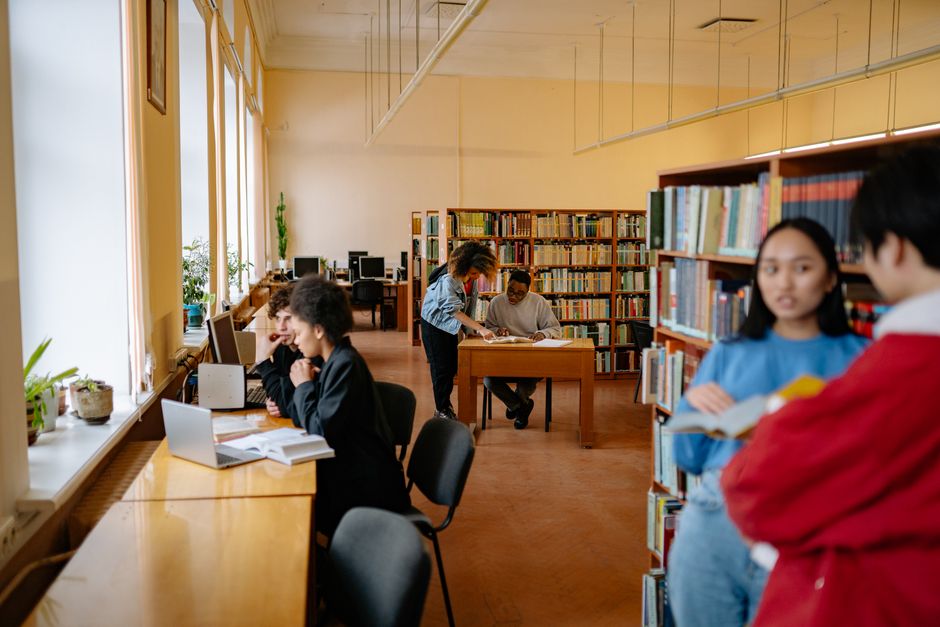
This one is simple but important: the library is free, quiet, temperature-controlled study space with reliable Wi-Fi. Most branches offer printing at a very low cost per page — typically a few cents for black-and-white — which is cheaper than campus print centers in many cases. Some libraries also provide free or low-cost notary services, which can be useful when dealing with housing paperwork or legal documents.
How to Find Your Local Library System
Your library district is usually determined by where you live, not where you go to school. Search for "[your city or county name] public library" to find the official site. Avoid third-party sites — go directly to the library's own .gov or .org domain to find accurate card requirements and digital resource lists.
If your campus is in a smaller town, the county library may be the relevant system. Ask a classmate or your international student office which library most students use — this is exactly the kind of local knowledge that saves you a wasted trip.
A Note for the YourGuideInUSA Community
In our community groups, the library comes up often once people have been in the US for a few months and realize how much they've been paying for things they could have accessed for free. One student in our Chicago group described getting Kanopy, Libby, and LinkedIn Learning all through a single Chicago Public Library card — the same week they cancelled two streaming subscriptions.
If you're just arriving, add the library to your first-week checklist alongside your bank and phone plan. It takes maybe 20 minutes to get a card and the payoff lasts your entire time in the US.
FAQ
Can I get a library card without a Social Security Number?
Yes, in most cases. Public library cards are not financial or government accounts, so SSNs are typically not required. Your passport and proof of local address are usually sufficient. Always confirm with your specific library system.
Does a library card work across different cities?
Generally no — cards are issued by local library systems and work within that system's branches. However, some regional reciprocal agreements allow cardholders to use neighboring county libraries as well. Check whether your system has reciprocal borrowing arrangements.
Can I use my university library instead?
Yes, and you should — your university library likely has specialized academic databases and course reserves. But the public library adds different resources: physical media, streaming, language tools, and extended hours at multiple branches. They complement each other well.
What happens to my library card when I leave or change address?
Cards typically need to be renewed periodically (often annually) and tied to a current local address. If you move or your program ends, your borrowing privileges may lapse. Return any borrowed items and renew or cancel your card as appropriate to avoid fines.
Are there any costs at all?
The card itself is free. Late fees apply if you return items past the due date, though many libraries have eliminated overdue fines in recent years — check your system's policy. Damaged or lost items may carry replacement charges.